kl888 APK —
Casino in Your Pocket
Download the kl888 APK file directly to your Android phone and install it in minutes — no app store needed. iOS users can add it to their home screen via Safari. All games — slots, live casino, football betting — are available in the app, with Vietnamese language support and payments via MoMo, ZaloPay, and VNPay.

Key Features: The kl888 App
Over 4,300 Games
The full game library is available in the app — slots, live baccarat, Tai Xiu, Xoc Dia, and sports betting. Providers include PG Soft, Pragmatic Play, FA Chai, Spribe, and Sexy Gaming, with no titles missing compared to the web version.
Fast Loading, Low Data Usage
The app is optimized for 4G networks and average Wi-Fi speeds in Vietnam. Its lightweight interface loads games 30 to 50 percent faster than a mobile browser. You can play smoothly even when your signal isn't great.
Instant Promotion Alerts
Get push notifications the moment a new deposit bonus, daily cashback, or tournament goes live. You won't miss any offers even when the app is closed. Toggle notifications on or off easily in your Account Settings.
Deposits & Withdrawals via MoMo, ZaloPay
Built-in support for MoMo, ZaloPay, VNPay, and bank transfers (Techcombank, Vietcombank, ACB, MB Bank). Deposits are processed within 4 minutes and withdrawals completed within 42 minutes — all without leaving the app.
Fingerprint & Face ID Login
After your first login, you can enable biometric authentication directly in the kl888 app. Access your account in under 2 seconds while keeping it fully secure. Supports both Android fingerprint and face recognition on compatible devices.
Vietnamese Live Support
Vietnamese live chat is available 24/7 right inside the app — no need to switch to a browser or make a call. The support team responds within minutes for deposit/withdrawal issues, account verification, and technical questions.
kl888 APK: Latest Version Info
The APK file is digitally signed and integrity-checked before every release. Download directly from the official kl888.live server to make sure you get the latest version.
Download kl888.apk (32 MB)Scan the QR code to download on your phone:
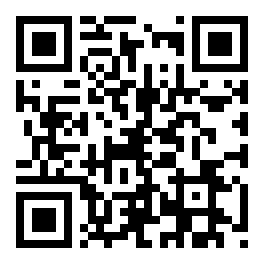
Point your phone camera or QR scanner app at the code to start downloading the APK right away.
App Preview: What You'll See After Installing
Full lobby — slots, casino, sports
Open the app and you'll see the full game menu right away: Slots, Live Casino, Xoc Dia, Football, Lottery, Fish Shooting. Switch between tabs smoothly — no lag on mid-range Android devices.
Deposit right in the app — MoMo, ZaloPay
Tap "Deposit", choose your method, enter the amount (minimum 60,000 ₫), and confirm — done. Funds hit your account within 4 minutes, no screenshot or receipt needed.
Track your bet history and balance in real time
The "History" section in the app shows every deposit and withdrawal, plus each bet with detailed results. Your balance updates in real time — no need to refresh the page.
VIP status and promotions at a glance
Check your current VIP level, monthly turnover, and rank-up progress right from your Profile. Claim daily cashback, reload bonuses, and birthday rewards without contacting support.
Installing kl888 APK on Android: 5 Simple Steps
By default, Android blocks apps installed outside the Play Store. You only need to enable "Unknown Sources" once — after that, installation runs automatically and takes about 2 minutes.
-
1Allow installation from unknown sources
Go to Settings → Security (or Settings → Apps → Menu ⋮ → Special App Access, depending on your device brand). Find "Install Unknown Apps" or "Unknown Sources" and turn it on. On Android 8 and above, you only need to grant permission to the browser you're using to download the file.
-
2Download the kl888.apk file to your phone
Tap the "Download APK" button on this page from your mobile browser. The kl888.apk file is 32 MB and should finish downloading within 1 minute on a standard 4G connection. The file is saved to your Downloads folder. If your browser asks "Do you want to download this file?" — tap Download to confirm.
-
3Open the APK file to start installation
Swipe down the notification bar and tap the "kl888.apk download complete" notification. Or open your File Manager app → Downloads folder → find kl888.apk → tap the file. Your device will show an install preview screen with the app name "kl888" and its brand icon.
-
4Tap "Install" and wait for it to finish
Tap the Install button at the bottom-right of the confirmation screen. Android will install the app in about 15 to 30 seconds. Once you see "App installed" — the installation is complete. The kl888 icon will appear on your home screen and in your app drawer.
-
5Open the app and log in to your account
Tap "Open" right after installation, or find the kl888 icon on your home screen. Already have an account: enter your username and password on the login screen. New here: tap "Register Now" inside the app or create an account here to claim your welcome bonus.
iOS: Add a Shortcut to Your Home Screen
kl888 is not available on the App Store. iPhone and iPad users can access it via Safari and save it as an app with these steps:
- 1Open Safari on your iPhone/iPad and go to kl888.live.
- 2Tap the Share icon in the toolbar at the bottom (iPhone) or top (iPad).
- 3Scroll down in the share menu and select "Add to Home Screen".
- 4Enter kl888 as the display name, then tap Add in the top-right corner.
- 5The kl888 icon will appear on your home screen. Tap it to open in full-screen mode just like a native app.
Security & Permissions: What Does the App Request?
kl888 APK only requests the minimum permissions needed to run. We do not read your messages, access your contacts, record audio, or capture your screen in the background.
256-bit SSL Encryption End-to-End
All data transmitted between your phone and kl888's servers is encrypted using TLS 1.3. Your login credentials, account balance, and transaction history cannot be intercepted over public Wi-Fi. You can check the security certificate at any time in your browser.
Permissions Granted: Only What's Necessary
The app requests Storage (to save downloaded files), Internet (to connect to the server), and Notifications (optional, to receive promotions). No Camera, Contacts, Location, SMS, or Microphone access is required. You have full control to enable or disable each permission in your Android Settings.
Signed APK File — Verify Before Installing
Every kl888 APK release is signed with a developer certificate before it goes live. Android will block installation if the file has been modified or tampered with. For your safety, only download the APK from the official link on this page — do not use third-party file-sharing sites.
Identity Verification (KYC) and Account Protection
Before your first withdrawal, you'll need to verify your identity using a National ID, Passport, or Driver's License. The KYC process is completed within 12 working hours. Once verified, your account is protected by two-factor authentication — any login from an unrecognized device will require additional confirmation.
Featured Games: What's Inside the kl888 App?
The kl888 app gives you direct access to any game — from high-RTP slots to live Tai Xiu tables. Here are some of the most-played titles on the app:

Big Bass Hold & Spinner
PG Soft · Slots · RTP 97.5%

Ninja vs Samurai
Pragmatic Play · Slots · RTP 97.3%
Beyond those two, the app also features Wings of Iguazu (PG Soft, RTP 97.1%), Xoc Dia (FA Chai, RTP 96.6%), Stick 'Em (Spribe, RTP 96.9%), and the full live casino lineup from kl888's casino lobby.
App vs Web: Which Should You Use?
Both give you access to the full game library and all transaction features. The APK app has a few extra perks that work better for players who game regularly on their phone.
| Feature | APK App | Web Browser |
|---|---|---|
| Full game library | Yes, all included | Yes, all included |
| Page load speed | Faster | Average |
| Promotional push notifications | Yes | Not available |
| Fingerprint / Face ID login | Supported | Not supported |
| Deposits & withdrawals | Built into the app | Yes |
| Battery usage | More optimized | Slightly higher |
| iOS compatibility | Not available (use shortcut) | Full Safari support |
| Auto updates | Notified when a new version is available | Always on the latest version |
| Live chat support | Built in | Yes |
| Storage space | Requires 32 MB | No installation needed |
Android users who play regularly should use the APK for the best experience. PC and iOS users can get everything they need through a browser.
System Requirements: Which Devices Can Run the kl888 APK?
Android
iOS (Safari browser)
If your Android phone runs a version older than 6.0 or has less than 2 GB of RAM, you can still access kl888 through Chrome browser and play all games — it may just be slightly slower than the app.
Common Installation Errors: Causes and How to Fix Them
If you run into any issues downloading or installing the kl888 APK, check the table below to fix it quickly without needing to contact support.
| Issue | Common Cause | How to fix it |
|---|---|---|
| "Installation blocked" or "Cannot install" message | "Unknown sources" permission not enabled for the browser you're using | Go to Settings → Security → Install unknown apps → select your browser (Chrome, Firefox, etc.) → enable "Allow from this source". Then tap the APK file again to continue the installation. |
| APK downloaded but shows "Cannot open" or "File corrupted" | Download was interrupted mid-way due to a lost connection; file saved incomplete | Delete the old APK file from your Downloads folder, make sure your connection is stable, then download it again from scratch. Ensure your device has at least 100 MB of free storage before downloading. |
| App downloaded successfully but the icon doesn't appear on the home screen | Installation completed but the icon wasn't automatically added to the home screen on some Samsung and Xiaomi devices | Swipe up from the home screen to open the App Drawer and look for the kl888 icon. Long-press it and select "Add to Home Screen" to pin it. |
| App opens but shows a white screen or connection error | Your carrier's DNS or network is blocking the connection to the server | Try changing your DNS to 1.1.1.1 (Cloudflare) or 8.8.8.8 (Google) in your Wi-Fi settings. If you're on 4G, switch to Wi-Fi or vice versa. Contact live chat 24/7 if the issue persists. |
| "APK version not compatible" message | Android version is older than 6.0, or the device is missing required system libraries | Check your Android version at Settings → About phone → Android version. If it's below 6.0, visit kl888.live via Chrome browser instead of using the APK — all features will still work. |
Got the APK — Don't have an account yet?
Create a free kl888 account and claim your welcome bonus right after your first deposit. A minimum deposit of 60,000 ₫ is all you need to qualify.
APK FAQ: Common Questions Answered
Is the kl888 APK file safe to install on my phone?
Yes. The kl888.apk file is digitally signed with an official developer certificate and is only released through kl888.live. We don't bundle any adware or collect personal data beyond what's needed for your account. To stay safe, only download using the "Download APK" button on this page — avoid links shared on social media or forums.
Do I need to root my phone to install the APK?
No rooting required. Installing APKs from outside the Play Store is a built-in feature on all Android devices from version 6.0 onwards — you just need to enable one permission in your Security Settings, and you can turn it off again after installation if you prefer. Rooted devices work fine too, but it's definitely not a requirement.
How do I update to the latest version when kl888 releases a new one?
The app will show a push notification or in-app banner whenever a new version is available. Just tap the notification, and you'll be taken to the latest APK download page on kl888.live. Download and install it over your existing version — your account and balance stay intact, no need to log out first. The current version is 2.0.18, updated on 21/11/2026.
Do I need to create a new account after installing the APK?
No. If you already have a kl888 account on the website, just use your existing username and password to log in to the app. Your balance, betting history, and VIP level are fully synced between the web and the app. If you don't have an account yet, tap "Register Now" on the app's welcome screen or create an account here.
Is the kl888 app available on the Apple App Store?
Not yet. iPhone and iPad users can access kl888.live via Safari and select "Add to Home Screen" — the kl888 icon will appear on your home screen just like a real app, and it opens in full-screen with no address bar. Gaming and transaction features work exactly the same as the Android APK.
Is the APK faster than the browser, and how much mobile data does it use?
The APK loads the interface faster than a browser because it's optimised specifically for mobile. Data usage depends on the game type: regular slots use around 5–10 MB per hour, while Live Casino with video streaming uses considerably more at around 80–120 MB per hour. Using Wi-Fi when playing Live Casino is the most data-friendly option.
What should I do if I still can't log in after installing the APK?
First, check your connection by opening another website to see if it loads. If your network is fine, try fully closing the app and reopening it. If you're still getting a connection error, try switching your DNS to 1.1.1.1 as shown in the troubleshooting table above. If you've forgotten your password, use the "Forgot Password" option right on the login screen. Contact our 24/7 live chat if you're still stuck.
What's Next: Getting Started with kl888
Create a new account
Registration takes just 2 minutes. Fill in your basic details, verify your phone number, and you're ready to go.
Create your accountMake your first deposit
Deposit from 60,000 ₫ via MoMo, ZaloPay, or bank transfer. Funds arrive within 4 minutes and your bonus is credited instantly.
View the kl888 Deposit GuideExplore the Casino lobby
Baccarat, Roulette, Tai Xiu, and Xoc Dia live with real dealers — all available in the kl888 app.
Enter the Casino lobby